

Reading the dashboard
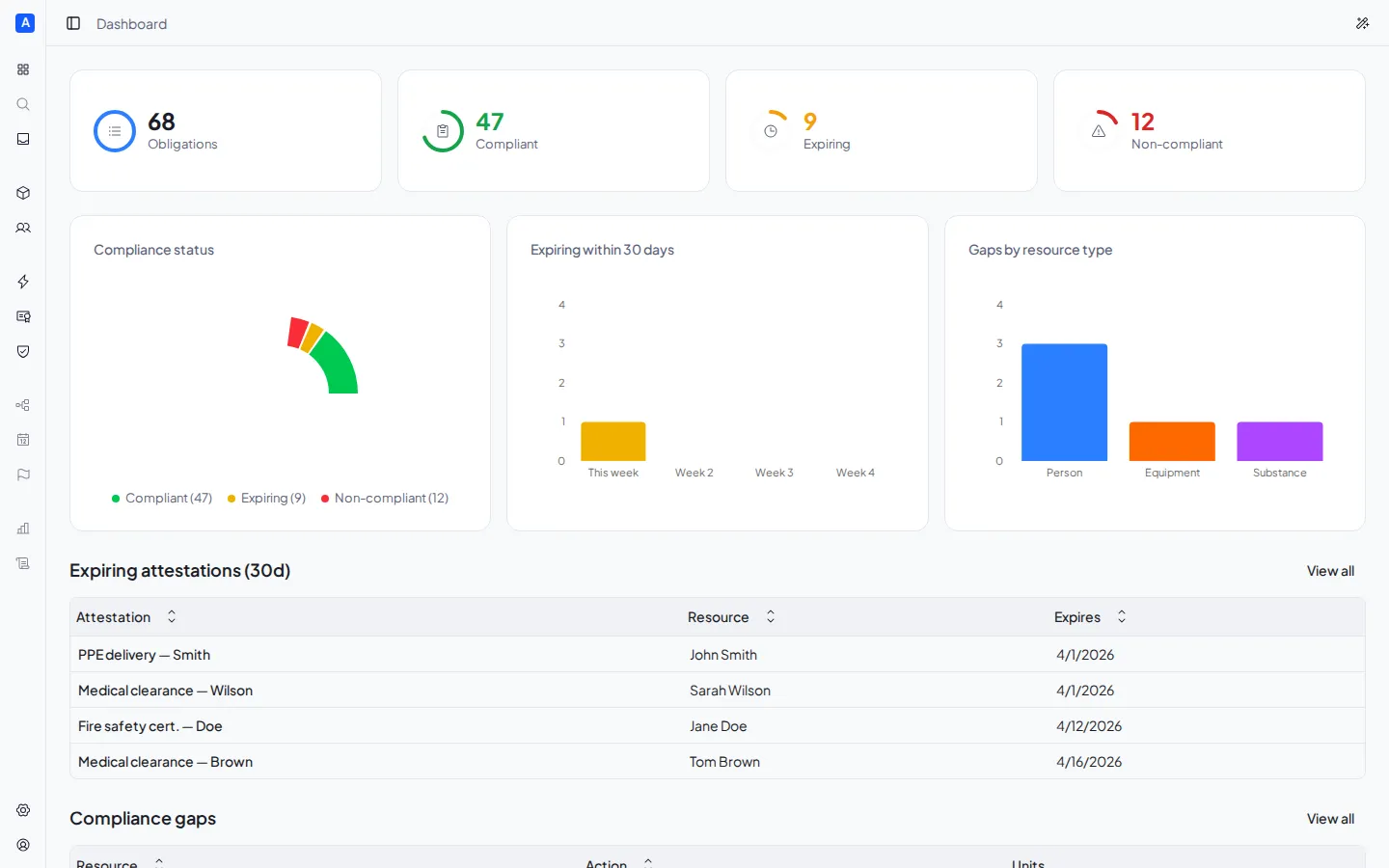
The Dashboard is Eriga’s home page. Use it to check the compliance status of your space at a glance and jump to the items that need attention.
Check overall status
Section titled “Check overall status”The four cards at the top summarize the overall situation:
| Card | What it shows |
|---|---|
| Total obligations | The total number of obligations in the space |
| Compliant | Obligations with a valid certificate |
| Expiring | Certificates expiring within 30 days |
| Non-compliant | Obligations without a valid certificate |
The progress bar below the cards shows the overall compliance percentage.
Spot expiring certificates
Section titled “Spot expiring certificates”The Expiring certificates list shows the 5 certificates closest to expiration (within 30 days): certificate name, associated resource, and expiry date. Click View all to open the full list in the Compliance page.
Find compliance gaps
Section titled “Find compliance gaps”The Compliance gaps list shows the 5 obligations without a valid certificate: affected resource and type, missing action, and involved units. Click View all to open the full list in the Compliance page.
Take quick actions
Section titled “Take quick actions”The buttons in the top right jump directly to the most common tasks:
- New resource — opens the Resources page
- Issue attestation — opens the Certificates page